Use this file to discover all available pages before exploring further.
1
Sign Up
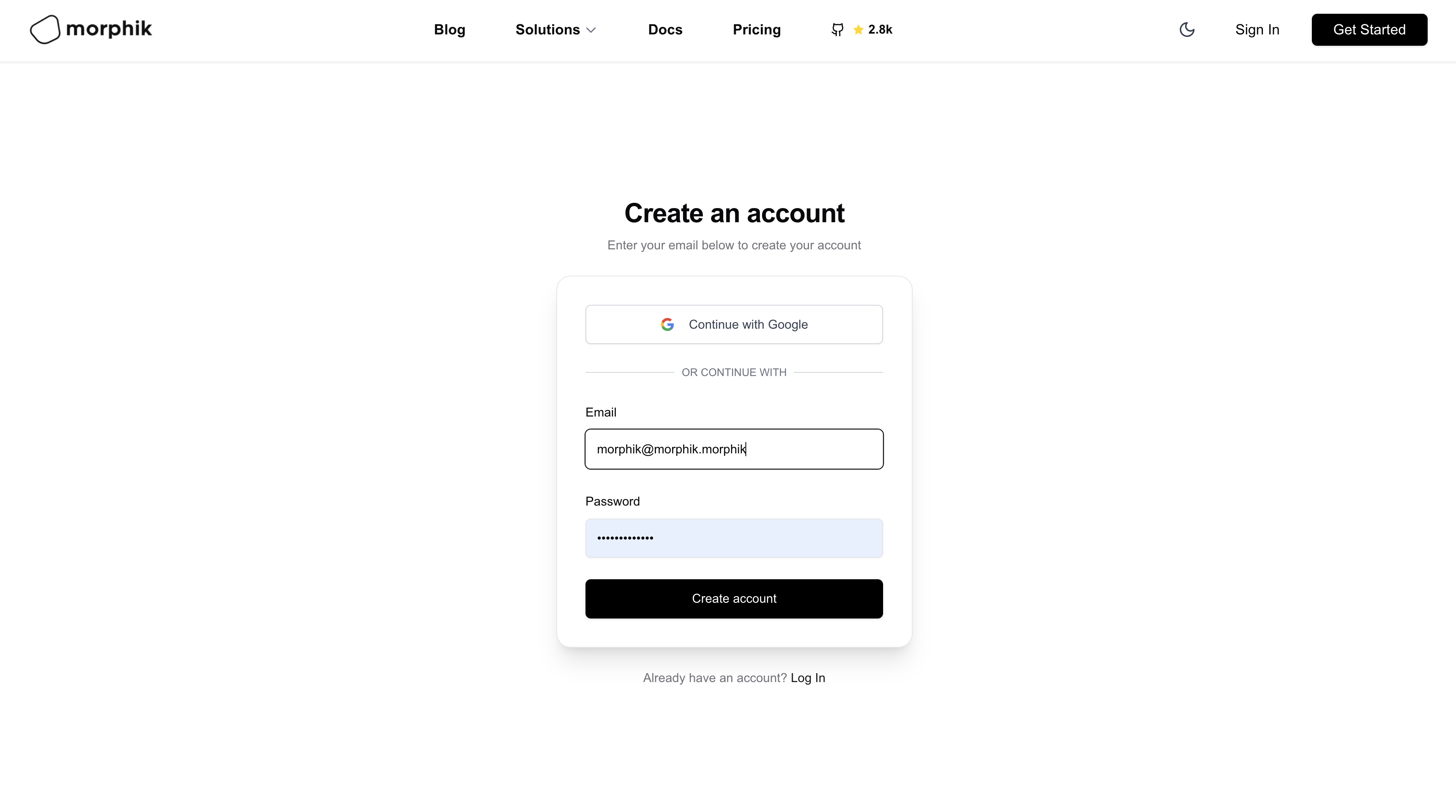
On a new tab, navigate to the Morphik website and click the “Get Started” button on the top right.
2
Create Application
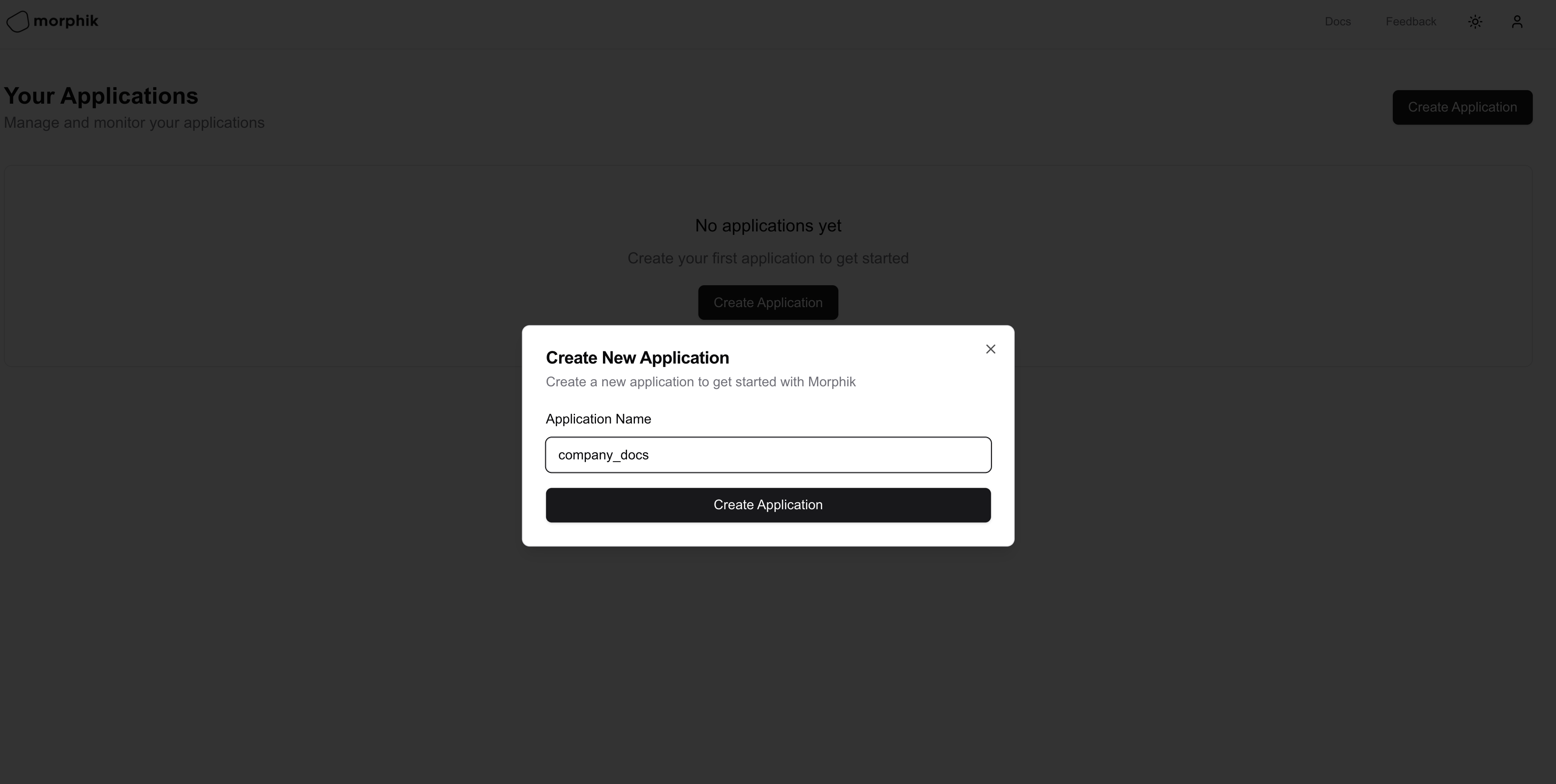
Once you have signed up, you will be redirected to the Morphik Cloud dashboard. Click the “Create Application” button to create a new application. Enter your app name and click “Create Application”.
3
Copy your credentials
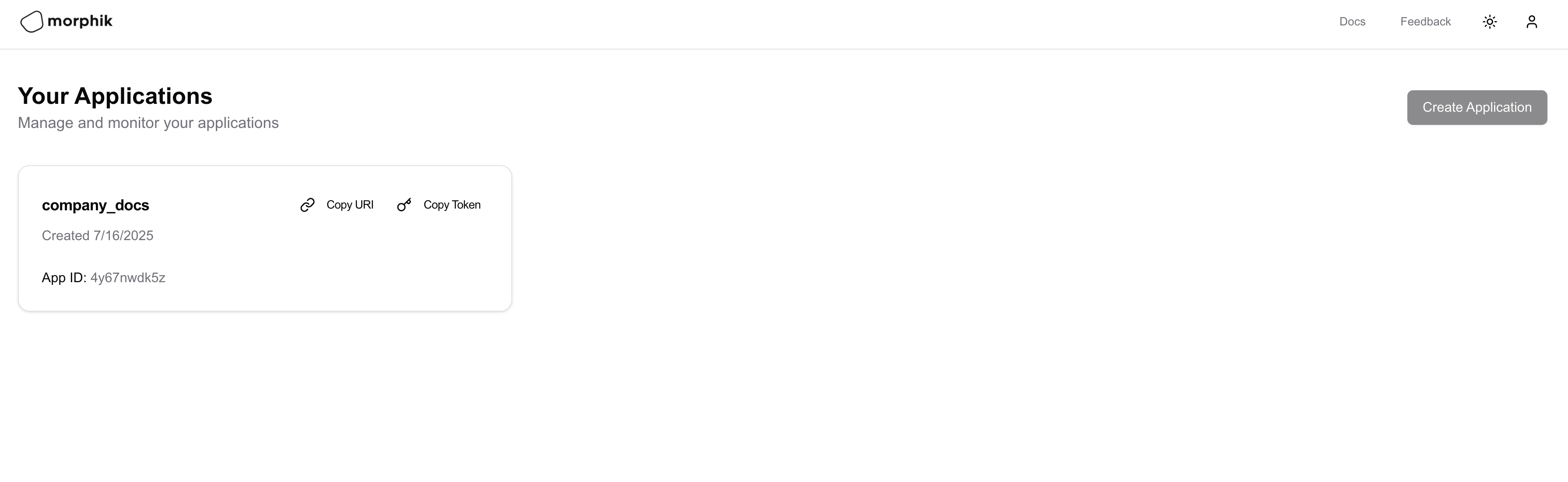
You should now see your application in the dashboard with “Copy URI” and “Copy Token” buttons:
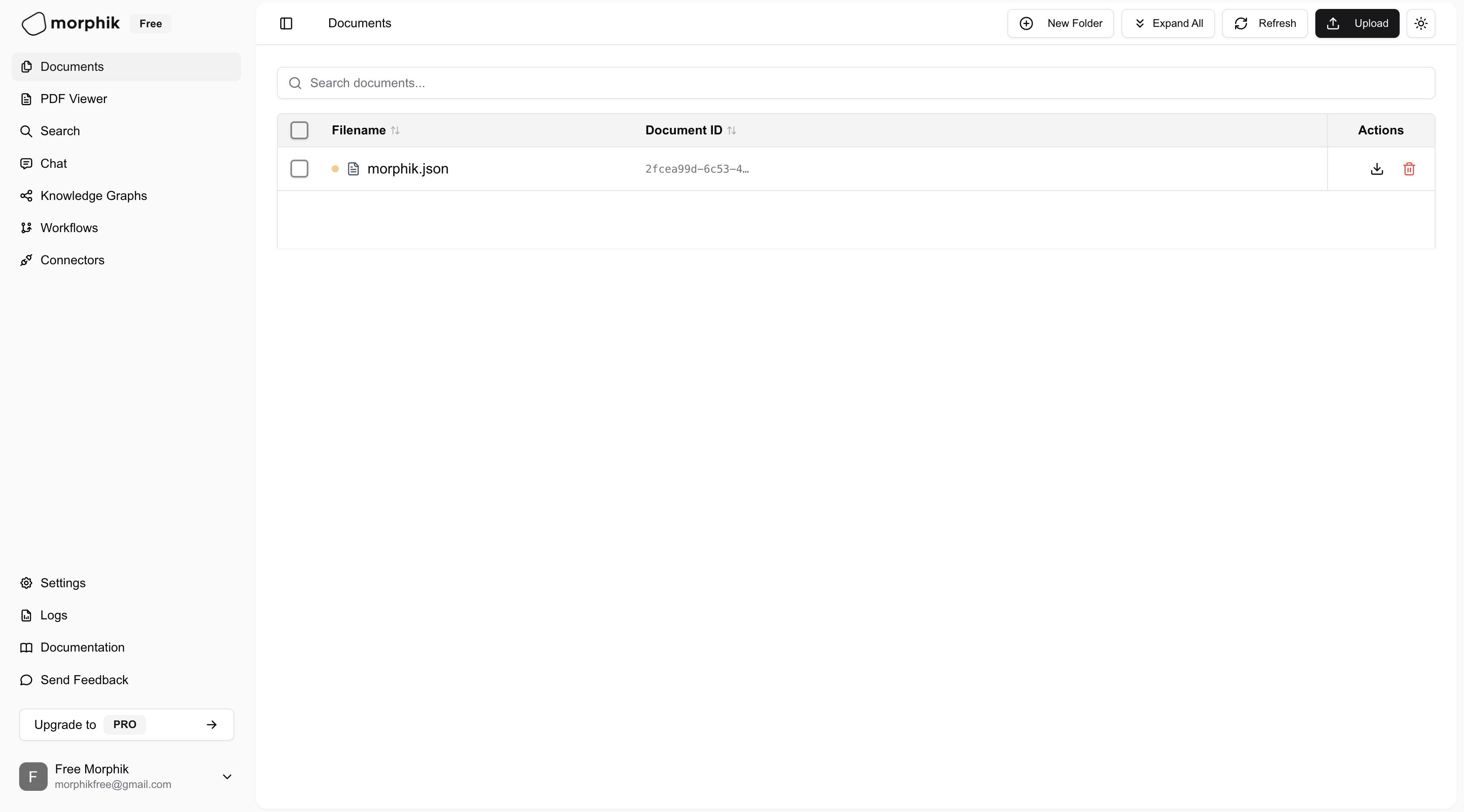
While most users integrate Morphik into their applications via our SDKs and APIs, we also provide a comprehensive web interface that serves as both a playground and management console.
For production use, you’ll want to integrate Morphik using our SDKs or API:
Python SDK
TypeScript/JavaScript SDK
Rest API
MCP
1
Create a virtual environment
python3.12 -m venv .venv
2
Activate the virtual environment
source .venv/bin/activate
3
Install the SDK
pip install morphik
4
Ingest and Query your first file
from morphik import Morphik# Initialize the Morphik clientmorphik = Morphik(uri="your-morphik-uri")# Ingest a filedoc = morphik.ingest_file(file_path="super/complex/file.pdf")doc.wait_for_completion()# Query the fileresponse = morphik.query(query="What percentage of Morphik users are building something cool?")print(response) # Responds with 100% :)
import Morphik from 'morphik';import * as fs from 'fs';// Initialize the Morphik client// Copy token from dashboardconst morphik = new Morphik({ apiKey: 'your-morphik-token'});// Ingest a fileconst file = fs.createReadStream('super/complex/file.pdf');const doc = await morphik.ingest.ingestFile({ file });// Wait for processing to completeawait new Promise(resolve => setTimeout(resolve, 5000));// Query the fileconst response = await morphik.query.generateCompletion({ query: 'What percentage of Morphik users are building something cool?'});console.log(response.completion); // Responds with 100% :)
You can find our API reference with SDK examples here.
1
Extract your bearer token
The bearer token can be extracted directly from your Morphik URI. The URI has the following format:morphik://<app_name>:<bearer_token>@<host>The middle part between the colon and the @ symbol is your bearer token.
2
Make API requests
When making requests to the Morphik API, include your bearer token in the Authorization header:
We have an open community with lots of discussion where you can get help, report bugs, and share your experiences with Morphik. If you need assistance or want to contribute, please join our community!
Join our Discord
Get help, report bugs, and connect with other Morphik users.